The alarm clock you can't snooze.
Revey is a mission alarm clock for Android. Complete your mission to turn off the alarm. No snooze, no “just five more minutes.”

How it works
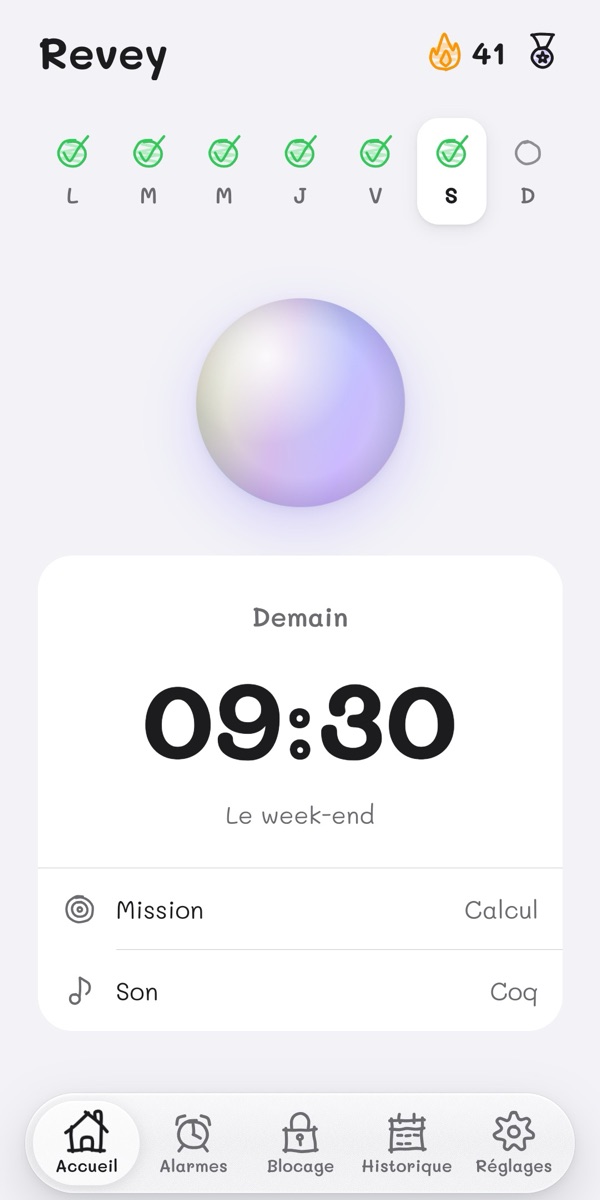
1Pick your time
The days, the sound and the mission.
2The alarm rings
Loud, even with the phone locked.
3Complete the mission
Only then does it stop.
What Revey does
A mission to turn it off
Math, memory, sport, geography or photo: choose the mission to complete to turn off the alarm. No snooze button.
No phone in bed
In the hours before your alarm, the apps you choose stay closed. The Phone app and the settings always stay available.
Your streak
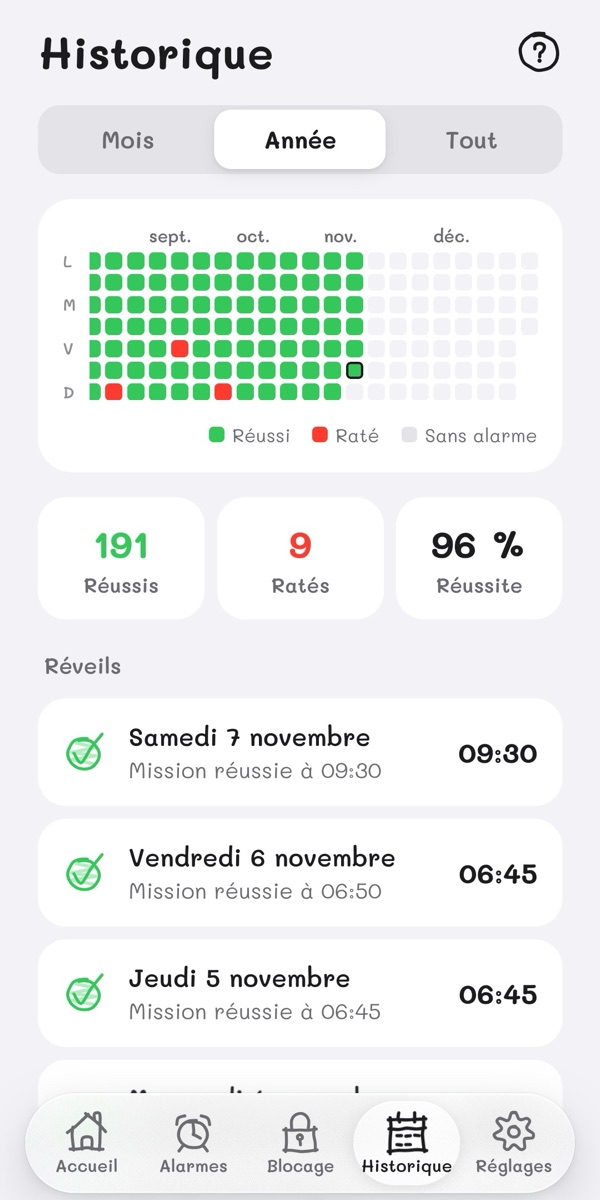
Every successful morning grows your streak, and a calendar keeps track of all your wake-ups.
Trophies
First wake-up, Iron week, Centurion: badges to unlock morning after morning.
36 sounds, or your own
Ringtones, calm sounds, the farm, animals. Or import your own sound, or record it.
Your alarms stay with you
No account, no tracking: your alarms and history stay on your phone. Photo missions, streets and community ideas use online services.
Inside the app
Your next alarm
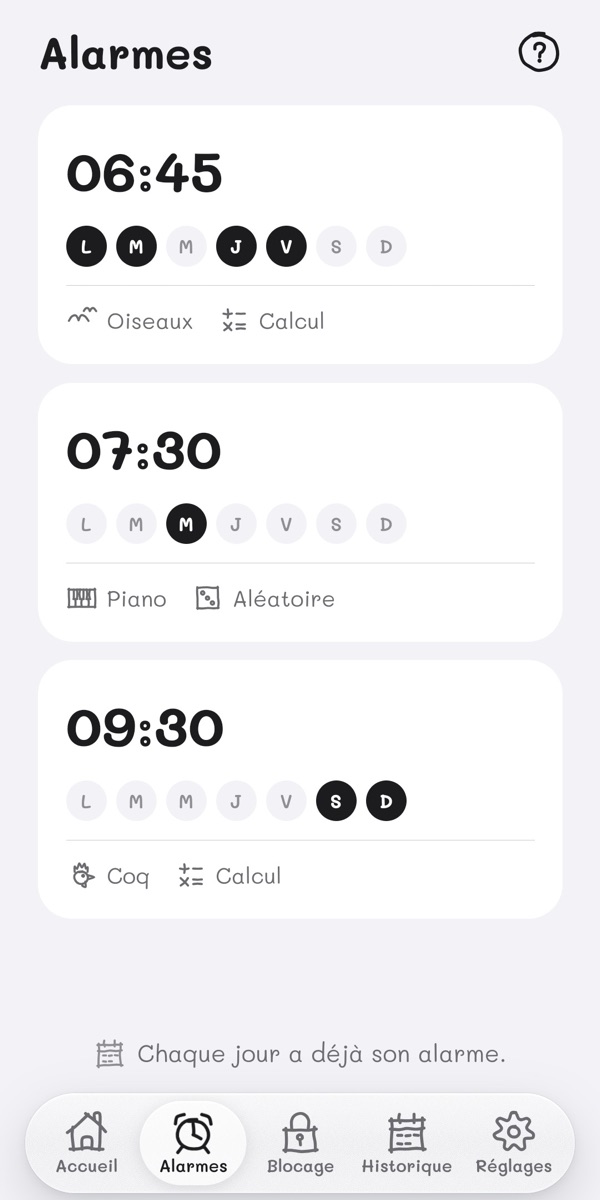
One alarm per day
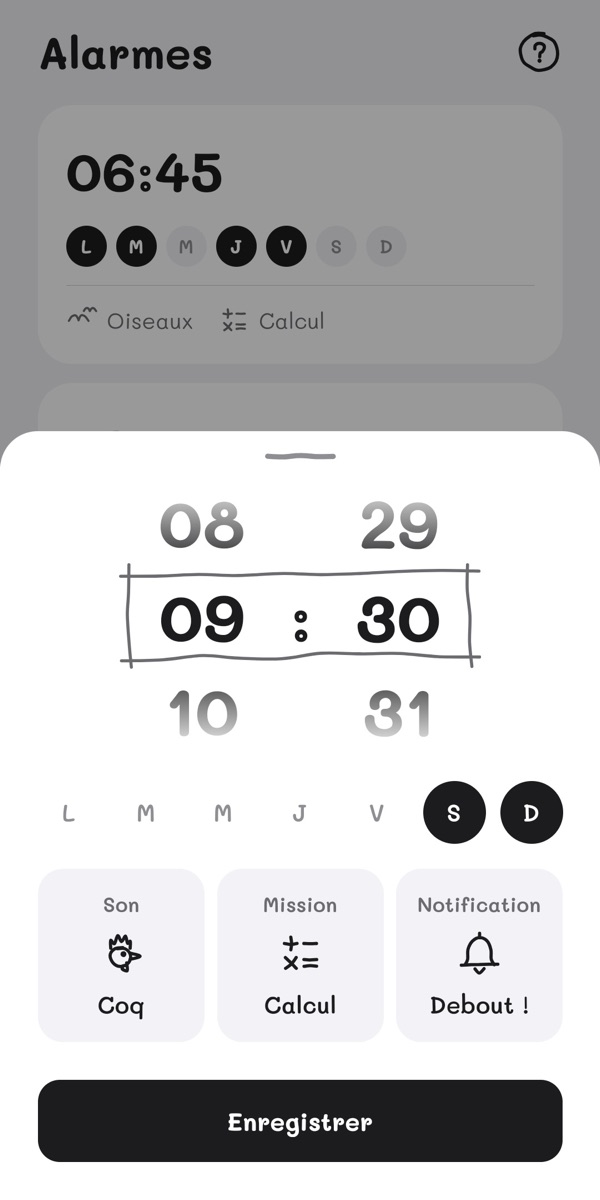
The time, the sound, the mission
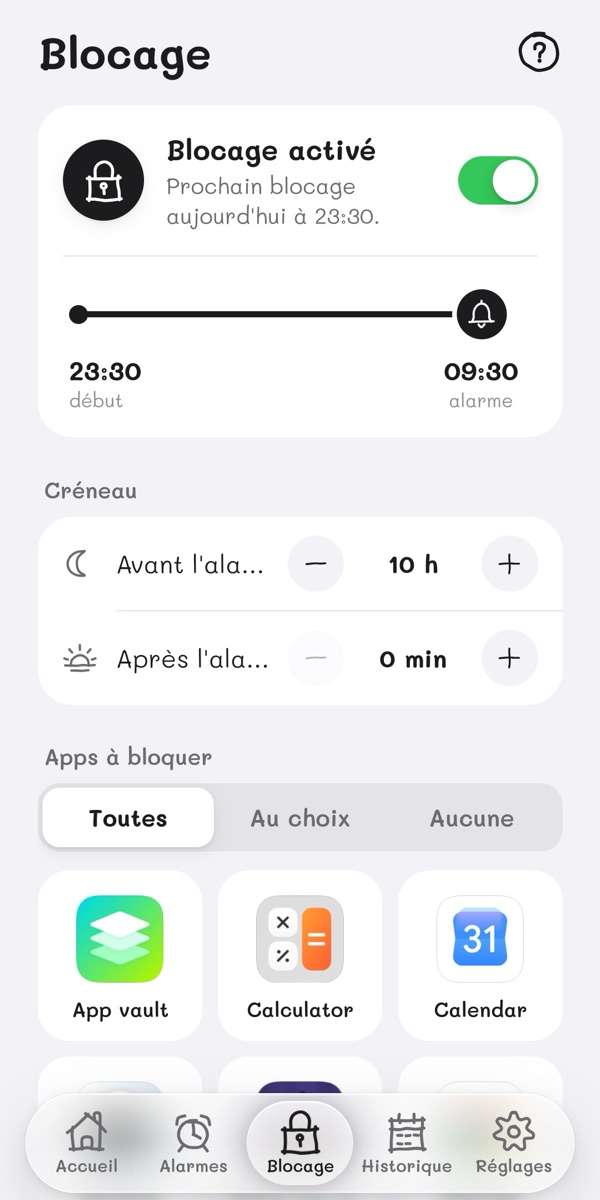
Your apps blocked at night
Every morning counts
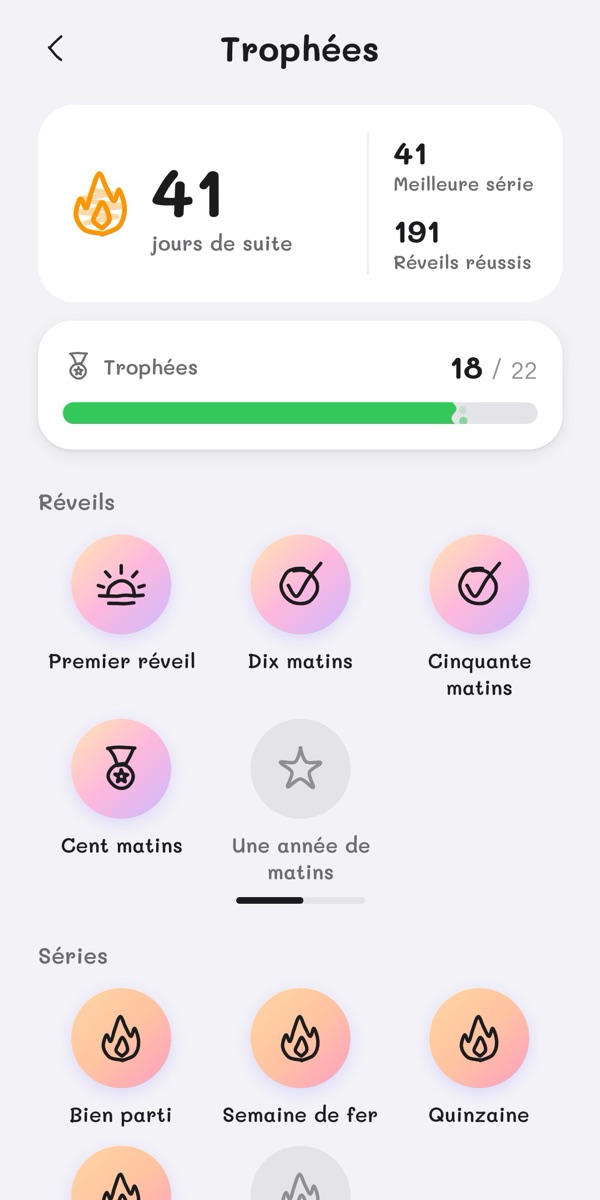
Trophies to unlock
Revey is made independently, by a single person. A question, an idea? Write to us.
Frequently asked questions
What is Revey?
Revey is a mission alarm clock for Android: complete a mission to turn off the alarm, block the apps you choose and track your wake-ups.
Which missions can I choose to stop the alarm?
Revey offers math and memory; push-ups, squats, sit-ups, jumps and steps; flags, capitals and recognizing a country from a street; and photos of your made bed, the sky or grass. Random mode picks a mission for each wake-up.
What happens if I don't complete the mission?
The alarm keeps ringing. After 30 minutes, it stops on its own, and the day counts as missed in your history.
Does the alarm ring if my phone is locked?
Yes. Revey shows over the lock screen and turns the alarm volume all the way up until the mission is done.
What if my phone restarts or turns off?
After a restart, Revey schedules your alarms again on its own. A phone that is off or out of battery can't ring, though: for an important wake-up, set a second alarm.
Can I set several alarms on the same day?
No: each day has a single alarm, the one for your real wake-up.
How does app blocking work?
You choose the apps and the time window around your alarm: during that window, opening one of those apps shows Revey's blocking screen. The Phone app, the settings and Revey always stay available. Blocking is optional.
Why does Revey ask for accessibility access?
Only for blocking: the accessibility service tells Revey which app is open, never what it shows or what you type. Without blocking, you don't need it.
Is my data sent anywhere?
Your alarms and history stay on your phone. Photo missions send the photo you take to Google Gemini to check it; Where am I? shows a street from Google Street View; community ideas use Firebase. These features are optional. You can export or erase your local data from the settings. The details are in the privacy policy.
Does the alarm work without Internet?
Alarms, math, memory, sport, flags and capitals work without Internet. Photos and streets need a connection: offline, photos switch to math and streets to flags. Community ideas also need Internet.
Can I use my own sound?
Yes: import an audio file, or record yourself right in Revey.
Is Revey available on Android and iPhone?
Revey is available on Google Play for Android. The iPhone version is coming.
An alarm didn't ring, what should I do?
Check in Revey's settings that all permissions are turned on, and that your phone isn't putting Revey to sleep to save battery. If the problem continues, write to us.